Groupby/Aggregate
The Groupby/Aggregate transformer allows user to aggregate the values of some of the columns by one or more categorical columns used as key(s). For example, if one wants to understand average sales by a geographic area column (lets say State) on a dataset with disaggregated records of sales by transactions. User may perform groupby (State) and aggregate of Sales with aggregation function selected as mean
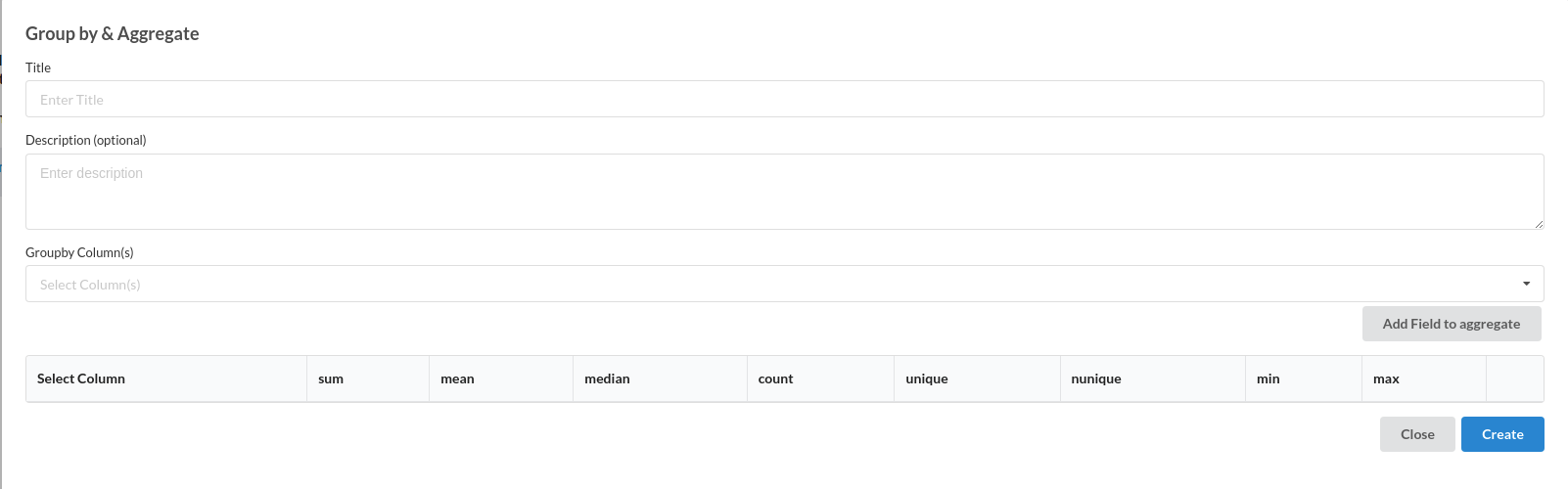
Groupby/Aggregate Transform dialog is shown as below:
-
Enter Title like most of the other transforms. Ensure that the Title is uniquely identifying the step
-
Enter Description to provide further information for this particular step. This is helpful in ensuring the transform step is readable in a complex workflow, ensuring readability. This step however, is Optional.
-
Enter Groupby Column(s). These are usually categorical columns used as keys for analysis.
-
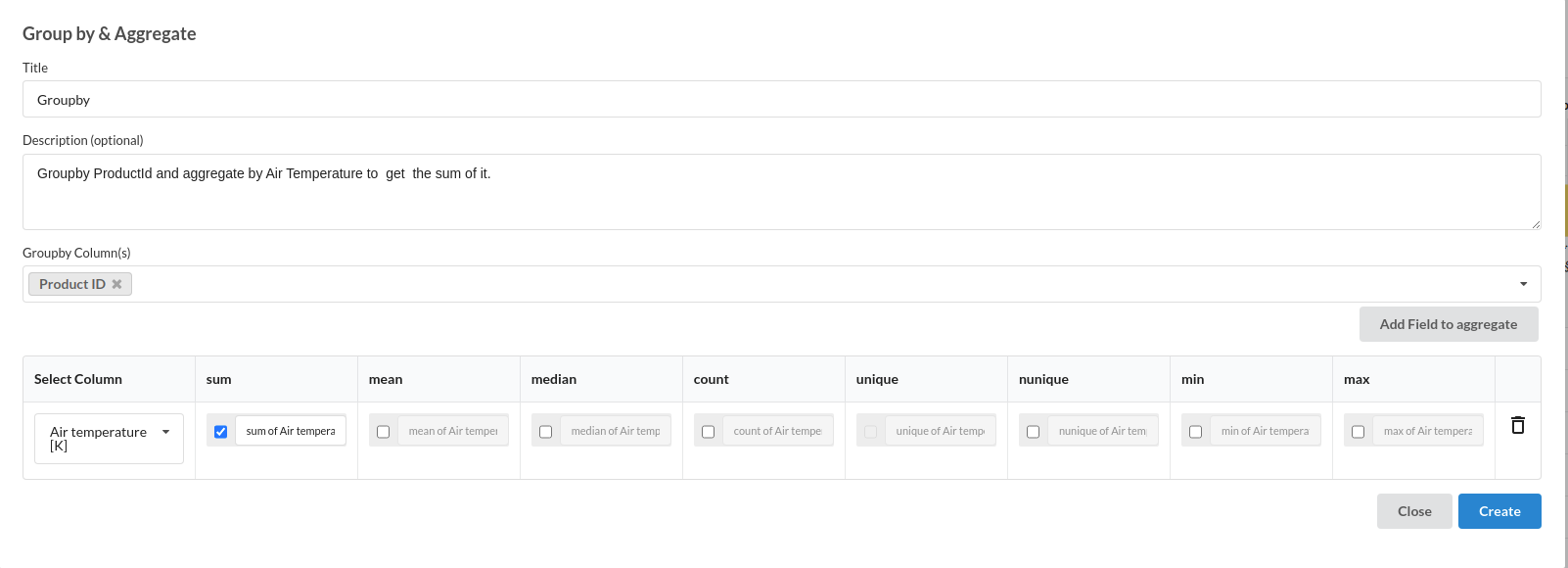
Click on Add Field to Aggregate. This will create a new record in the table shown. Select the required aggregation that is required for particular analysis. Rename the output column post aggregation as required.
-
Repeat step 4 for as many fields that need to be aggregated all at once.
-
Click Create to add the step to the recipe.
Supported formats for Categorical column aggregation are :
- count
- Unique
Supported formats for Numerical column aggregation are :
- Sum
- Mean
- Median
- Nunique
- Min
- Max
